
Single-Player Preview -Challenge Missions

Challenge missions bring a new and exciting flavor to the StarCraft II: Wings of Liberty single-player experience by pitting players against a set of missions designed to help them test, improve, and ultimately master abilities beyond the scope of what the tutorial has to offer. 3 days left


Challenge missions range from teaching simple unit counter decisions to more advanced techniques like controlling entire armies with hotkeys. Players who master these challenges will have learned key skills important to success in online multiplayer matches. Challenge missions were designed as a way to learn these invaluable multiplayer tactics.

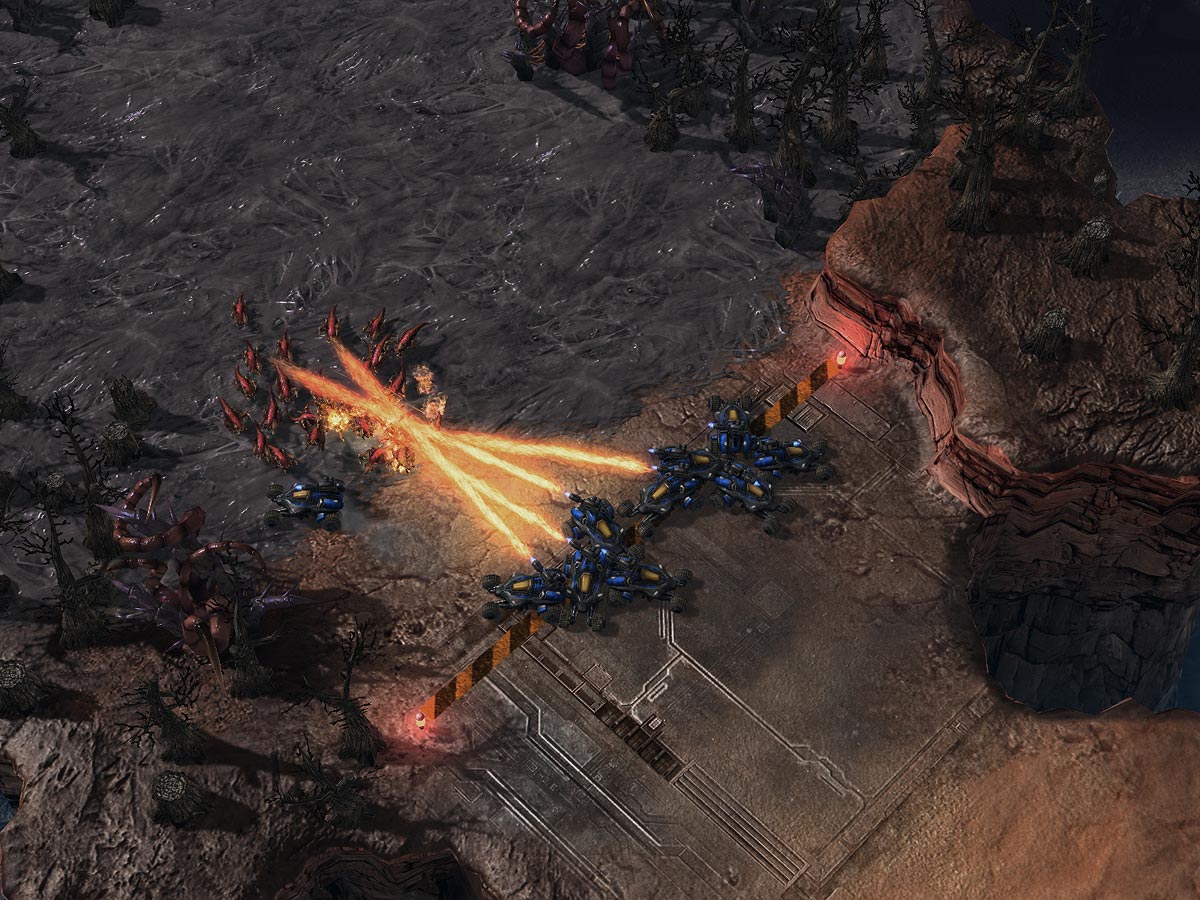
Experienced StarCraft players know the strengths and weaknesses of their units, as well as those of their enemy. It's a matter of always using the right tool for the job. Tactical Command is a unit counter mission that asks players to choose the right terran units to defend their Supply Depots, destroying the units they counter. The challenge lies in assessing the enemy threat and distributing your limited forces to the appropriate battle locations across the map.

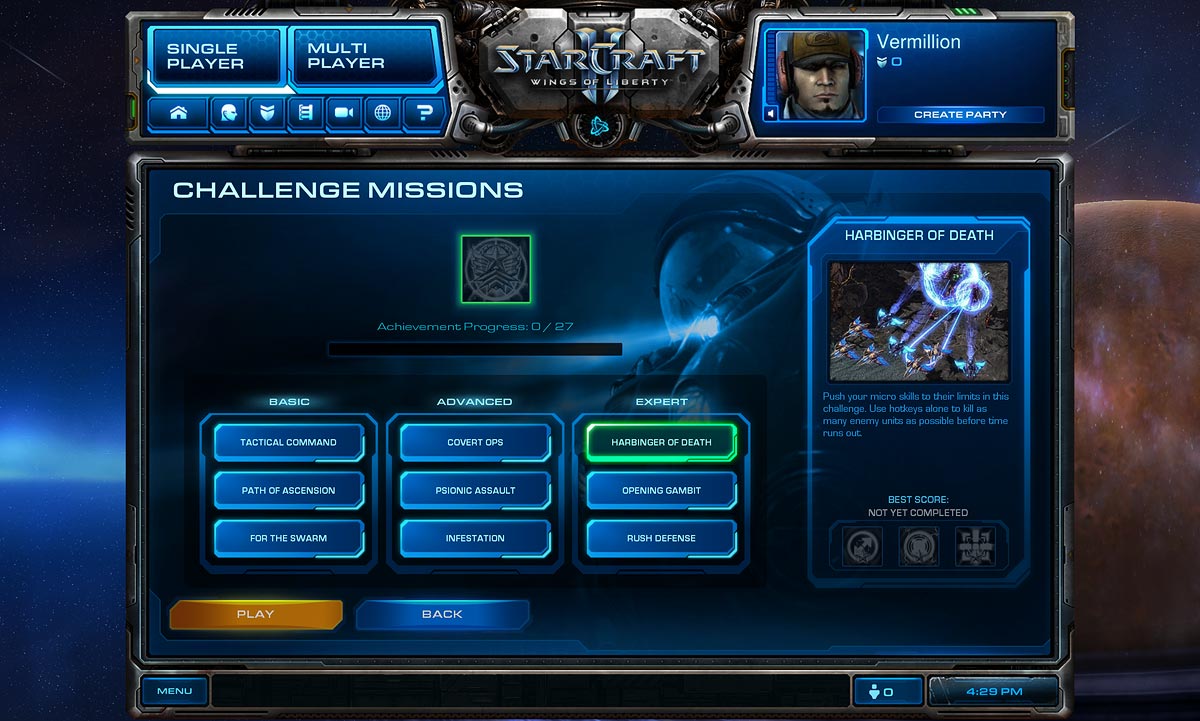
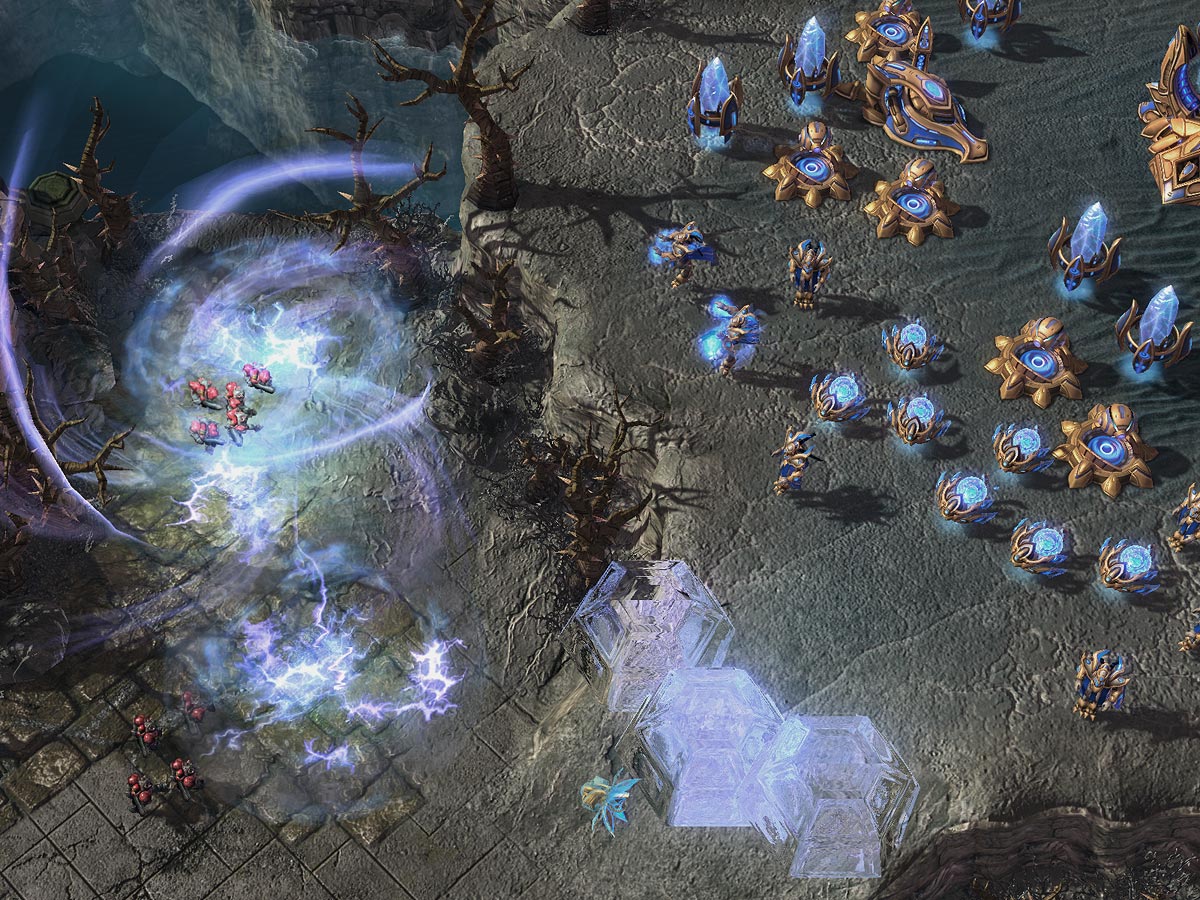
In StarCraft II, you can mouse click through the interface to relay orders to their units, but hotkeys are more efficient. On the Harbinger of Death mission, players are thrown into the thick of a protoss battlefront. Challengers must push their micromanagement skills to their limits, using hotkeys alone to kill as many enemy units as possible. After setting up control groups, players have a limited amount of time to warp in additional forces, manage simultaneous engagements, and lead their army to victory.

Players who go above and beyond the minimum success requirements while completing challenge missions can even earn unique achievements. Expect to be pushed to your limits!


3 days left!!!

Popular posts from this blog

SC2Allin1 v11.2.11 Beta 8 + AI - Play Starcraft 2 Offline

This tool allows you to Play Starcraft 2 Offline Learn how to use this latest version of SC2Allin1 v11.2.11 Beta 8 + AI Let's go straight to the download links: Download StarCraft 2 Heart of the Swarm Beta Download SC2Allin1 v11.2.11 Beta 8 + AI Download Starcraft 2 Map Packs (optional) Download .NET Framework 4 (required for the program to work correctly). Step 1. Unpack the archive "SC2Allin1-Setup-v11.2.11.zip" to any folder and run "SC2ALLin1.exe". Disclaimer : It will be your decision to continue the installation if antivirus detects any "Tsar Trojan" alert. This is how SC2Allin1 would look like. Step 2. Click the "Maps" tab. There are 4 buttons to choose from. Add Maps from Folder - add maps from the selected folder. This is if you previously downloaded the Starcraft 2 Map Packs from the link above. Select Map - select a map and go to the game settings (Game tab) Map Sites - launches a browser and moves us to...

SC2ALLin1 v10.3.3 - Play Starcraft 2 Offline

Starcraft 2 skrimish is available on this new version of SC2ALLin1 v10.3.3 . This works with Starcraft 2 v1.0.1. Based on reloaded's crack and all menus are working fine Update : SC2Allin1 v11.2.11 download is now available! Info Retail crack has nothing to do with this tool! So don't confuse them! This Launcher Tool was primary made for Training and Demonstrate-Promote StarCraft II only, not replacing it in any part! SC2ALLin1 v10.3.3 Offline StarCraft 2 Retail Launcher SC2Allin1 Retail Compatible Version is now live with new Difficulty Per Player , Handicap , Unique replay history , Custom Advanced A.I , Advanced Team Options , Cheats and much more! Retail Maps Link Works 100% only with the Retail MapPack available also for download here. Download Retail MapPack - download one-by-one Feel free without modifying the maps and uploaded to any other mirrors (HF,MU,etc) and PM me the links. What is ALLin1 tool?? It is an automated legit launcher tool ...

StarCraft 2 Campaign Missions and Achievements Guide

DISCLAIMER 1 : This guide may contain SPOILERS. As this is a mission mechanics guide, I don't really talk about much beyond what's listed in the achievement descriptions in-game, but still, you have been warned. DISCLAIMER 2 : This guide is mostly comprised of what I have personally observed, with a few additions from forum threads. I don't make any guarantees of accuracy, but if you see any inaccurate information, please post so I can correct it. After beating the campaign and logging onto the forums, I noticed there have been quite a bit of confusion regarding campaign achievements, especially Liberty Completionist and HUIRN. This guide is intended to clear up any misinformation regarding achievements and provide suggestions on the best way to unlock various achievements. Download Guides : StarCraft2CampaignMissionsandAchievementsGuide.txt StarCraft_II_Manual.zip Related Guides : 1. Read our guide on how to complete Brutal Campaign . 2. Few tips and recom...

Starcraft 2 Guest Mode and Offline Mode - Play Starcraft 2 Offline

When logging into StarCraft II: Wings of Liberty, you may have noticed the “Play as Guest” button lurking at the bottom right of your screen. But what does this do? Is it the same as the “Offline” mode you’ve heard about? Can I play without even logging into Battle.net?

StarCrack ALLin1 Installation Guide - Play Starcraft 2 Offline

StarCrack ALLin1 MANUAL Starcraft 2 beta: Patch 16 StarCrack ALLin1: v9.7.7 Cache: Patch 16 StarCrack AI 7.03r2: Patch 10 compatible The following are step by step instructions, written in plain English, to help you play test Starcraft 2 beta.

StarCraft 2 Completing Brutal Campaign Guide

Author : Alleji Update: First of all, thanks for all the suggestions and requests and general attention this thread received. I'm glad this guide helped so many people with their campaign :) A lot of you asked me to post tips on missions not included here or suggested alternative strategies. I did my best, but unfortunately I can't add much because each post has a 5000 character limit :( Also, the posts don't seem to display properly for me. The [list] tags are gone and some other stuff. Sorry! It's not me, it's the forums being buggy. I tried to make this as readable as possible.

StarCraft II Launcher 2.3.1

StarCraft II Launcher is a tool that let's you select a map, a modification and some player settings and it can then magically start the game with that map, modification and settings applied. To play a map, simply download a map (it doesn't need any AI changes or stuff) from a site like starcraft-2-beta-offline-ai-maps . The Team StarCrack AI 6.1.1 is included in the package as an modification.

StarCraft 2 Single Player Cheat Codes

Here are some cheats you can use when playing StarCraft 2 Campaign. Shooter Minigame Click on the arcade machine on the Hyperian to play a space shooter mini game. Extra Chatter and Animal Murder To make animals explode, just keep double clicking on one at a pretty quick rate. After 10-15 clicks or so, the show will start. Also, the amount of polish in the game is amazing. Every single unit has a dozen or more unique dialogue when you click on them repeatedly. The best thing to do though, is assign a unit to a group (1 to 0) and just hold the number button down and listen to the chatter.

Starcraft 2 Guide Zerg Versus Protoss, Fighting the 4 Gate

Author : Antpile I've decided to write a guide on beating the 4 gate push that is all the rage right now in the 1v1 leagues. This build is rough on us poor Zergies. Here, I will teach you how to send those Zealots packing. Opening Game So, you are happly producing your drones and are reaching 9 or 10 supply, what do you do? Well, if you are playing on Zerg's home stadium of Scrap Station or on Desert Oasis, then you do nothing. Your overlord will be in his base momentarily and tell you all you need to know. What's that? You forgot to send your overlord to his starting position as soon as the game started? Shame on you!

Starcraft 2 Zerg Scouting Compendium Guide

Author : Nicholas Greetings, fellow Zerglings. Over the past few days, there have a been a lot of topics asking why (insert Terran or Protoss strat here) keeps stomping Zerg. And among the responses, one thing is agreed upon - if you don't scout it out, you're toast. Always. So, that led to posts asking how to scout, when to scout, where to scout, such and such. However, I haven't seen any threads describing exactly what you might be seeing when you scout. So, I'm going to add that, and combine everything else into one big scouting post.